
Your own OTA listings, prices by date, and your own bookings
In the owner portal, OTA Channels connects your own Airbnb, Booking.com or Agoda listing to your unit through our channel manager, Channex, so your prices, dates and stay rules stay in step everywhere and the listing’s bookings arrive in your Bookings. Rates & restrictions sets prices and rules for particular dates. Add booking / block nights records guests you took yourself or closes dates for your own use or repairs. Bookings from your listings and your own guests are paid to you and are never Smart Studios revenue or part of your payout.
Before you start
- An approved unit claim and an active plan (changes in the owner portal need one)
- For Airbnb: a complete Airbnb host profile and the listing that is this unit
- For Booking.com or Agoda: Channex chosen as connectivity provider in that OTA’s extranet, and your property ID
- Connect Airbnb
OTA Channels → Connect Airbnb. Sign in on Airbnb’s own page and approve access, then choose the listing that is this unit and press Link listing and go live. We never see your Airbnb password.
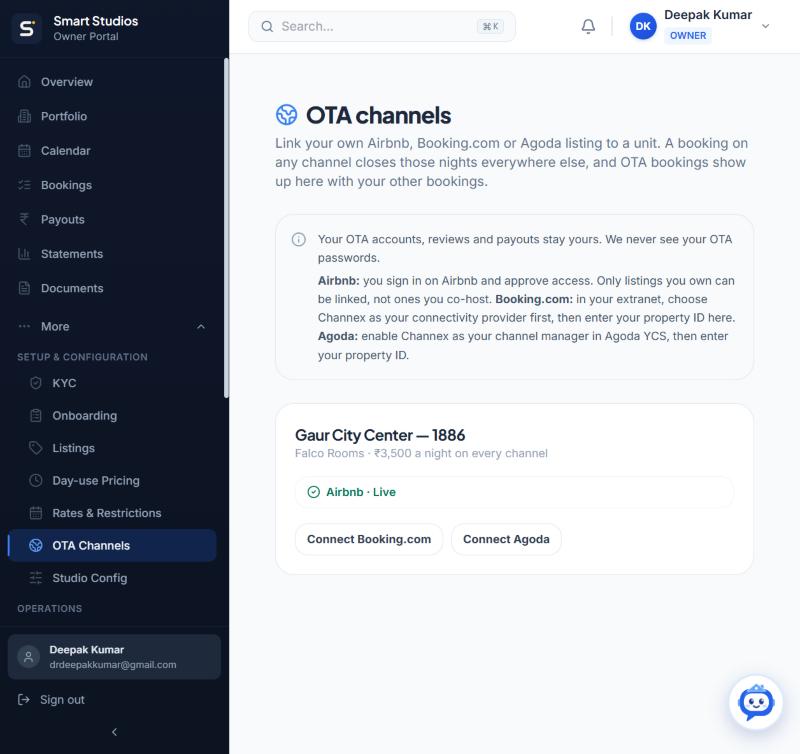
OTA Channels: live connections per unit, and the OTAs you can still connect. - Connect Booking.com or Agoda
OTA Channels → Connect Booking.com (or Agoda). Enter your property ID and press Check, choose which room and rate is this unit, and press Link and go live.
What this screen needs from you
What you enter Required Format Example Property IDFails until Channex is your connectivity provider for that property. Required Digits from the OTA extranet 5868189Which room and rate is this unit? Required Choose from the list Studio · Standard rate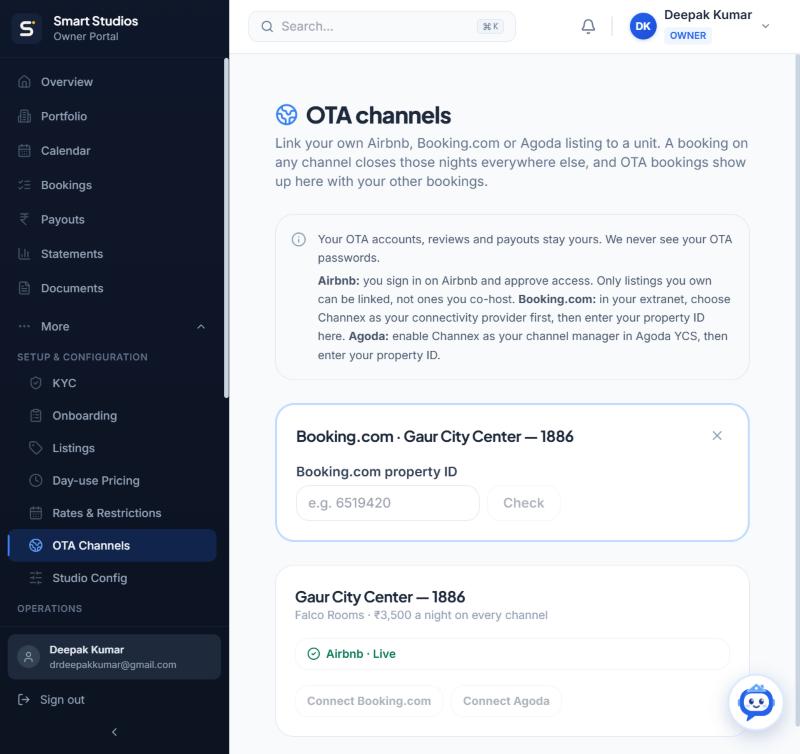
Enter the property ID from the OTA extranet, then press Check. - Set prices and rules for particular dates
Rates & restrictions → choose the unit → click the first and last date → change only what you need → Save. Back to defaults returns the dates to your standard settings.
What this screen needs from you
What you enter Required Format Example Price per night (₹) Optional Rupees 4,200Minimum / Maximum stay Optional Nights 2 / 14No check-in / No check-out on these dates Optional Switch — Stop selling these nightsCloses the dates to every guest, overnight and day use, on the website and every connected OTA. Optional Switch — 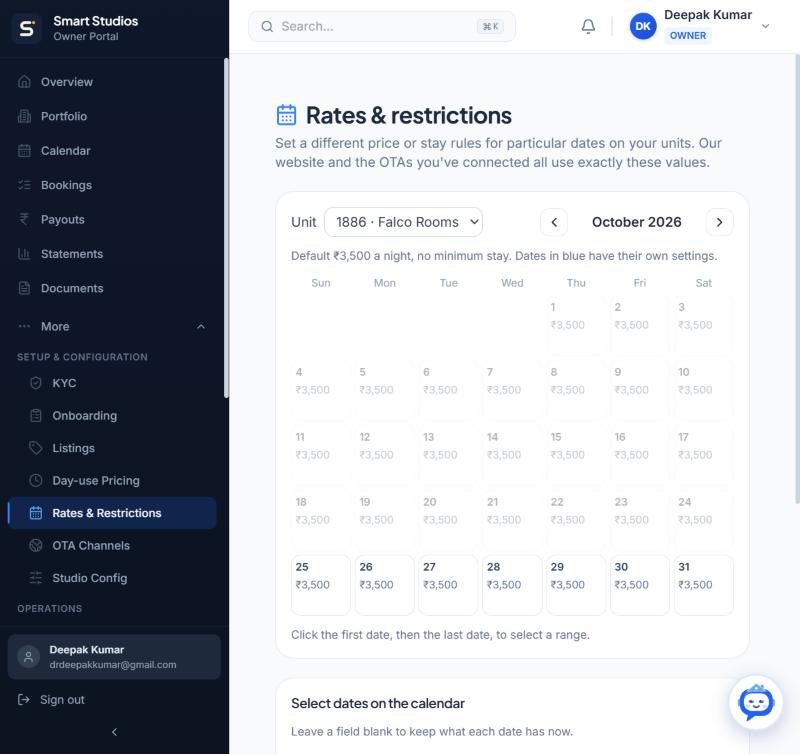
Dates in blue have their own settings; the rest use your unit’s default. - Add your own guest, or block nights
Bookings → Add booking / block nights. Choose From an OTA (a listing that is not connected), Own guest (offline), or Block nights (no guest). Enter the dates and, for a guest, their name, country, adults and children, and optionally arrival time and special requests.
Never add a booking that came from a connected listing: it arrives by itself, and adding it again would book the unit twice.
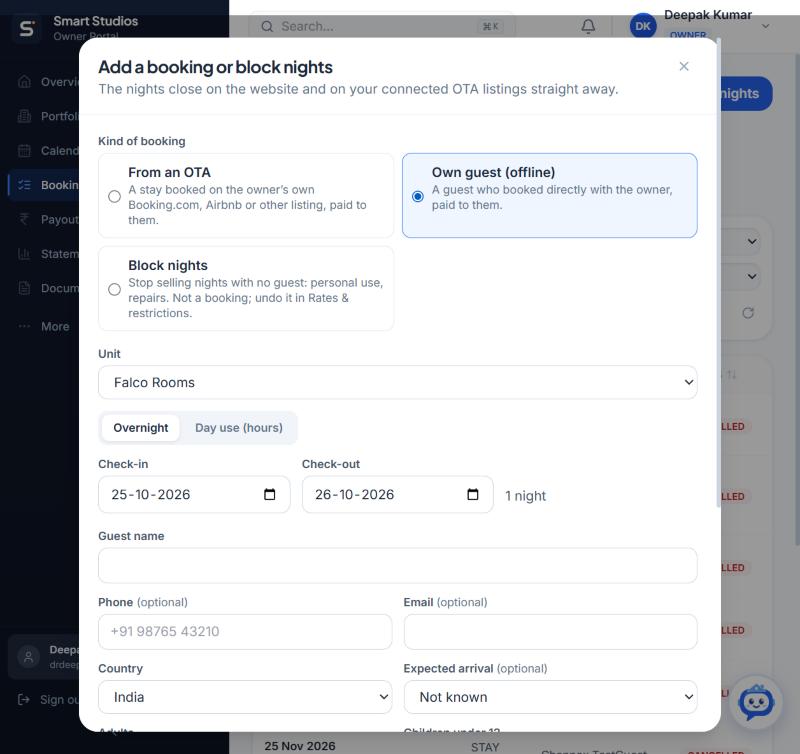
Own guest (offline), overnight or day use, with the same guest details as a website booking.
What happens next
- A connected listing gets your prices, rules and availability within seconds of any change
- Its bookings arrive in Bookings as “Owner booked · Airbnb” (or Booking.com) and close the dates everywhere
- Owner-booked stays count in your occupancy and analytics but never in Smart Studios revenue or your payout
- Blocked nights add no booking; they show as stop sell in Rates & restrictions
If something goes wrong
- “A channel with the same settings already exists”
- That hotel ID is already connected, possibly through another channel manager. Disconnect it there first.
- Airbnb shows a different price
- Airbnb adds its own fees and discounts on top of the price we send.
- Agoda will not connect, or my listing is on MakeMyTrip
- Those connections are not available yet. Record their bookings with Add booking / block nights → From an OTA so your dates close here too.